Plantalk AI
Plantiemoji: Live Readings for Your Plant
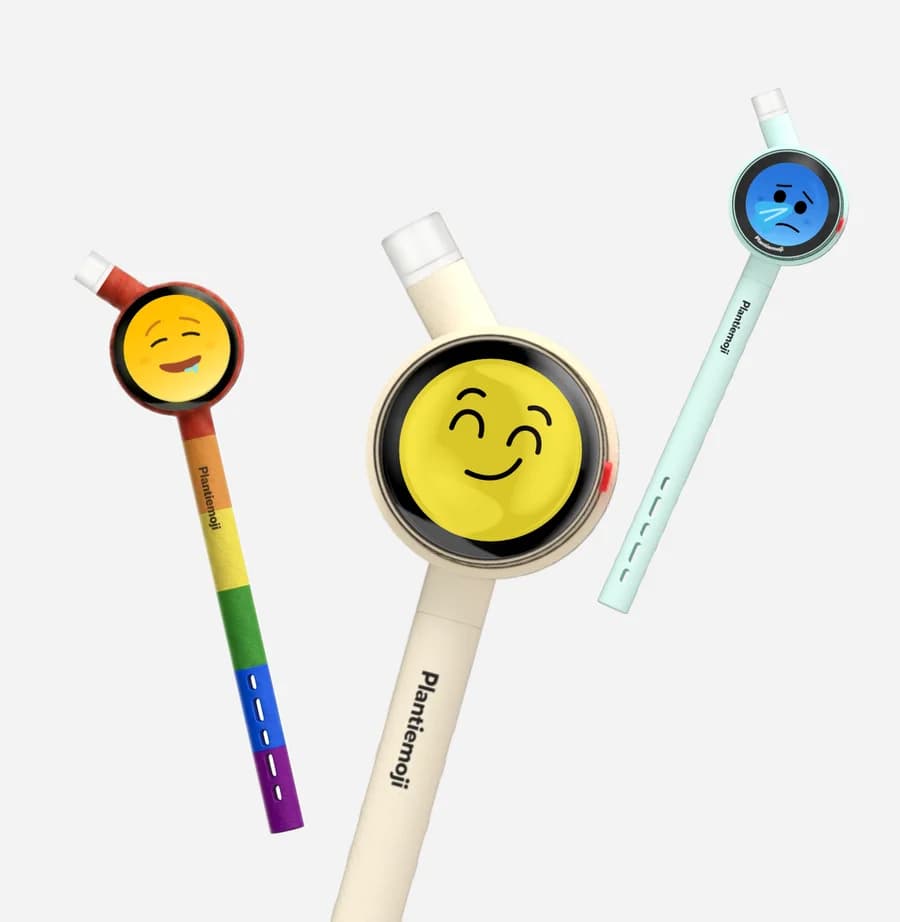
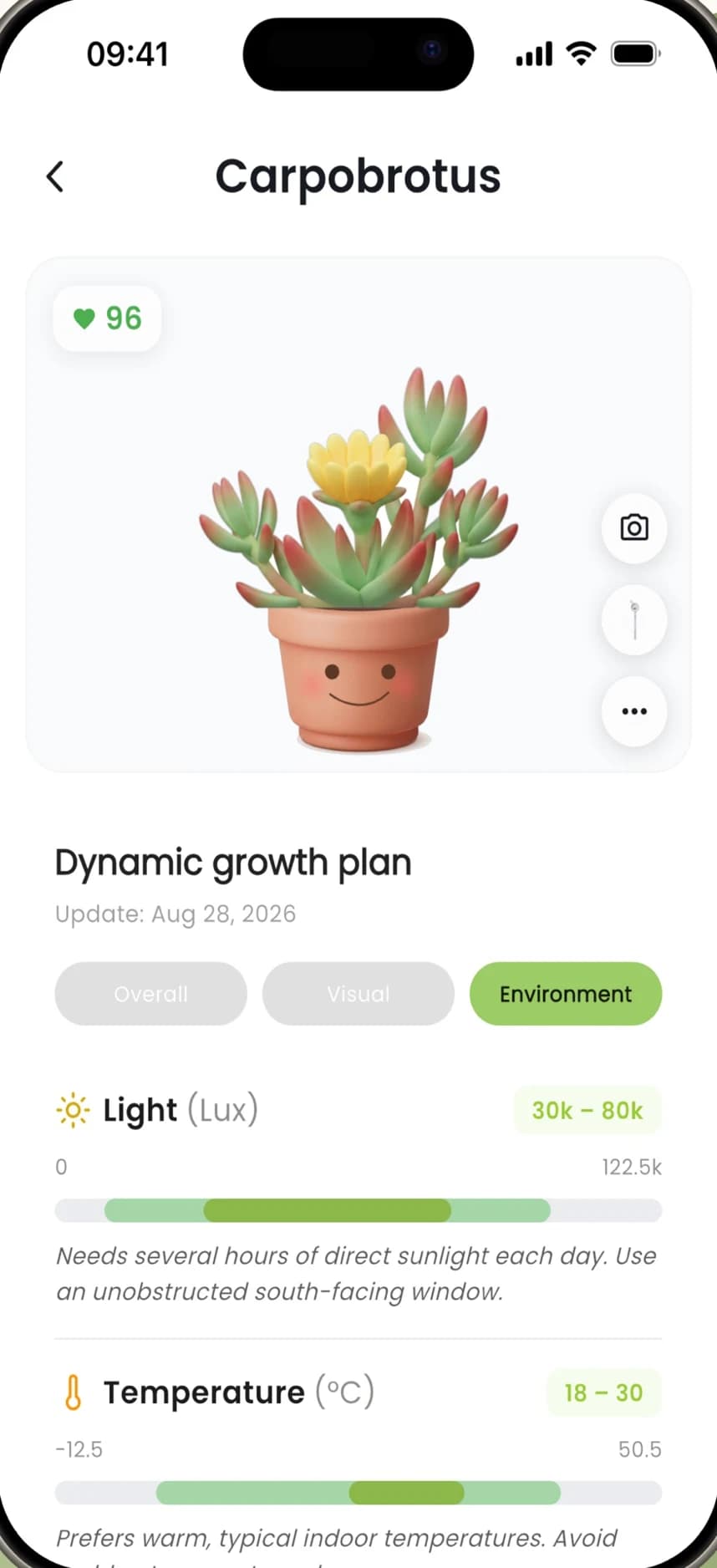
Plantiemoji is a plant sensor with an emoji screen, and Plantalk AI is its companion app. Linked to a plant, it fills the plant's Environment view with live light, temperature, humidity, air pressure and soil moisture readings, plus VPD and daily light integral (DLI) with history.
Free on iPhone, iPad and Android · Updated November 8, 2026 by the Plantalk AI team
Set Up Plantiemoji
Get ready
Turn on Bluetooth and allow Plantalk AI to use it. Have your 2.4 GHz Wi-Fi name and password ready: the sensor can't join a 5 GHz-only network.
Add the plant first
Add the plant in Plantalk AI with a photo.
Place the sensor
Attach the emoji display, put the sensor in the pot and keep it on USB power during setup.
Link it in the app
Open device setup, choose Plantiemoji, enter your Wi-Fi details and pick the plant. Keep the phone, sensor and router close together.
What You See in the App
Light
Live light readings and the day's light total (DLI).
Temperature
In Celsius or Fahrenheit, your choice.
Humidity and air pressure
Plus VPD, which shows how fast the air dries a plant out.
Soil moisture
With a warning when soil moisture reads zero.
History
VPD and DLI with history, in the plant's Environment view.
Your own faces
Design emoji faces in the app and install them on the sensor's screen.
VPD and DLI, in Plain Words
- VPD (vapor pressure deficit)
- The gap between how much water vapor the air holds and how much it could hold at that temperature. The bigger the gap, the faster a plant loses water through its leaves. Source: Purdue Extension, HO-297-W
- DLI (daily light integral)
- The total amount of light usable for photosynthesis that reaches a plant in one day, measured in moles of light per square meter per day. It depends on both brightness and day length. Source: Purdue Extension, HO-238-W
No sensor? No problem.
Everything else in Plantalk AI works without one: photo identification, care tasks, the care calendar, health tracking and the Plantie Assistant.
Common Questions
Do I need a Plantiemoji sensor?
No. Without a sensor, Plantalk AI still identifies plants from photos and gives you care tasks, reminders, plant details and the AI assistant. A Plantiemoji sensor adds live readings of light, temperature, humidity, air pressure and soil moisture, plus VPD and DLI history.
What does the Plantiemoji sensor measure?
Light, temperature, humidity, air pressure and soil moisture. Plantalk AI also shows VPD and daily light integral (DLI), with history.
What Wi-Fi does Plantiemoji need?
A 2.4 GHz Wi-Fi network. The sensor can't join a 5 GHz-only network, so have the 2.4 GHz network's name and password ready during setup.
Can I change the face on the sensor's screen?
Yes. Design emoji faces in Plantalk AI and install them on the sensor's screen. Version 1.0.6 added a Halloween look.
Where can I buy Plantiemoji?
At plantiemoji.com. Charging and troubleshooting are covered in the Plantiemoji user manual.
More in Plantalk AI
Get Plantalk AI Free
On iPhone and iPad with iOS 15 or later, and on Android. Pro is an optional subscription in the app.