Plantalk AI
Check on Your Plant's Health
Plantalk AI gives every plant a health score and a growth trend, and its home screen points out the plants that need a look. When one seems unwell, open Plant Clinic or send the Plantie Assistant a photo and ask about the symptoms.
Free on iPhone, iPad and Android · Updated November 8, 2026 by the Plantalk AI team
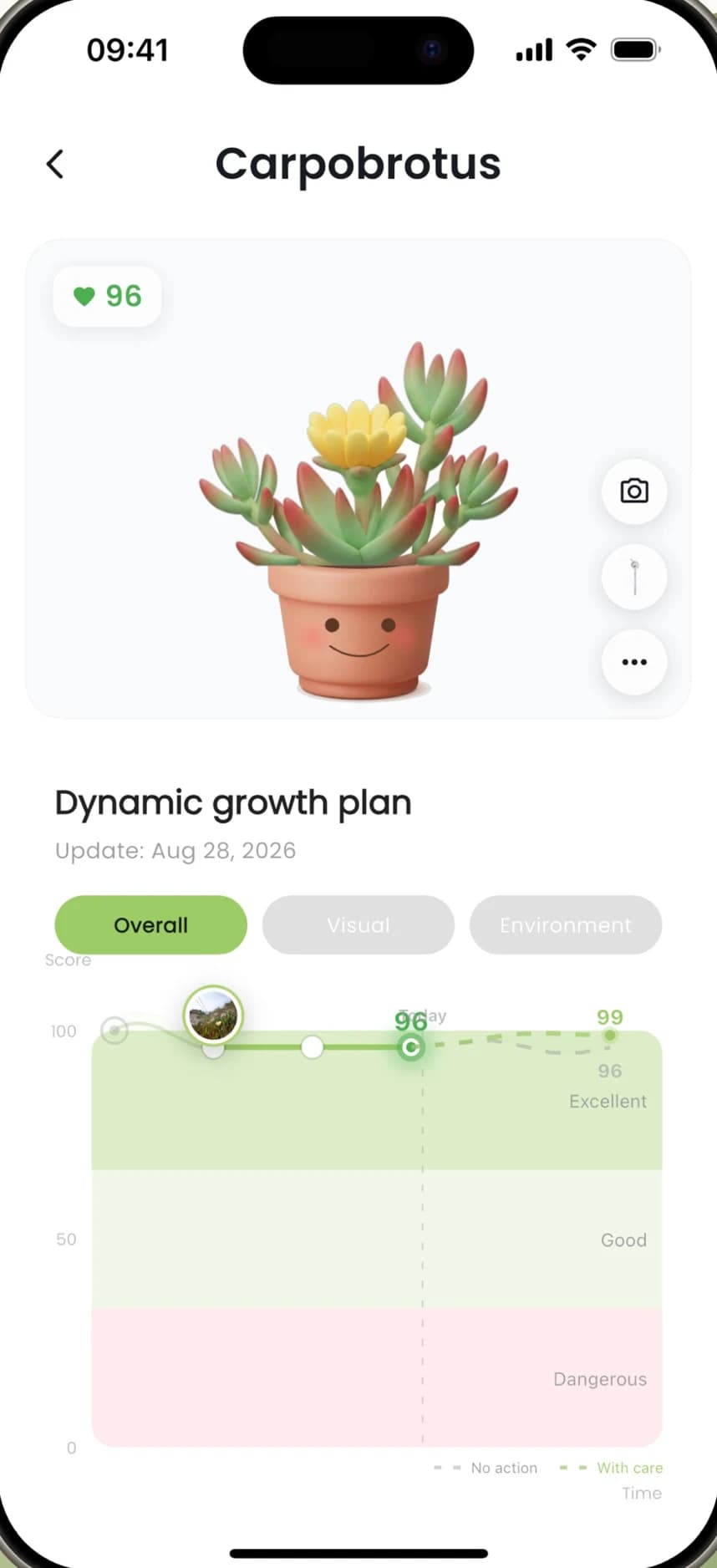


How to Check on a Plant
Glance at the home screen
It sums up how your plants are doing, and each plant card carries a status such as Healthy!, Mild issues or Too dry!.
Open the plant
Its page shows the health score, the growth trend, any issues and its care tasks.
Switch views
Look at the plant's Overall, Visual and Environment health views.
Ask about symptoms
Use the Plant Clinic shortcut, or send the Plantie Assistant a photo of yellow leaves or a spot and get step-by-step answers.
Ways Plantalk AI Watches Over Your Plants
Health score
Every plant has a score you can follow over time.
Growth trend
See how each plant responds to care, so you can adjust before small problems grow.
Plant Clinic
A home-screen shortcut for checking on a plant that looks unwell.
Photo questions
Send Plantie a photo and ask what could be wrong.
Weather context
With location on, care tips account for local heat and humidity.
Sensor warnings
With a Plantiemoji sensor, the app flags a zero soil-moisture reading.

The home screen says who needs a peek.
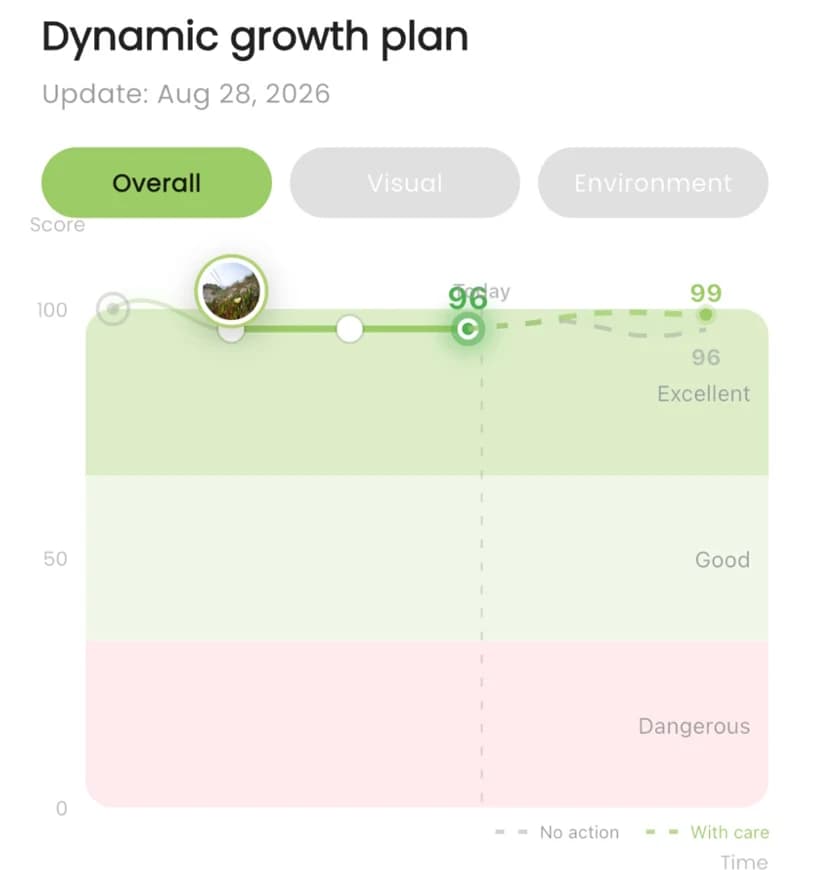
The health score and growth trend over time.
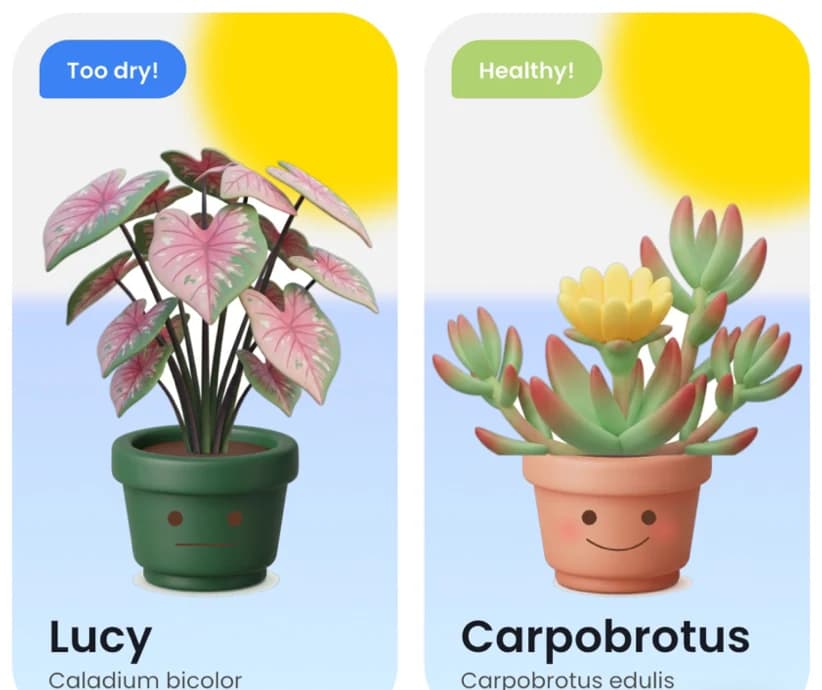
Status tags on every plant card.
Treat the app's answers as guidance. For a serious pest or disease problem, also check with a local nursery or your county's cooperative extension office.
Common Questions
Can Plantalk AI tell what's wrong with my plant?
It can help. Each plant has a Visual health view, the home screen points out plants that need attention, and you can send the Plantie Assistant a photo and ask about symptoms such as yellow leaves or drooping. Treat the answers as guidance; for serious pest or disease problems, check with a local nursery as well.
What is the plant health score?
Each plant in Plantalk AI has a health score, shown with a growth trend so you can see how it changes over time. Its health also has Overall, Visual and Environment views.
Where do I see which plants need attention?
On the home screen. It sums up how your plants are doing, and each plant card carries a status tag such as Healthy!, Mild issues or Too dry!. The Plant Clinic shortcut is there too.
Does a Plantiemoji sensor help with plant health?
It adds live light, temperature, humidity, air pressure and soil moisture readings to the plant's Environment view, plus VPD and daily light integral (DLI) with history, and a warning when soil moisture reads zero.
Get Plantalk AI Free
On iPhone and iPad with iOS 15 or later, and on Android. Pro is an optional subscription in the app.